The desk work, done before you ask.
The Daily brief, the schedule, online booking, the inbox and follow-up in one place. Arlina keeps the list of what needs a person short.
The Daily brief: one screen to open
Who’s next, who hasn’t checked in, who’s ready to check out and which new patients are waiting. Urgent things first.
- Check in and check out from the list.
- Each new patient tagged with where they came from: online booking, a call or the phone.
A schedule that knows how you work
Every practitioner side by side, with who’s booked, arrived and done at a glance. Treatments with a wait, like acupuncture, free the practitioner for the next patient. Classes sit on the same calendar.
- See who’s arrived at a glance.
- Book into the wait during acupuncture or heat.
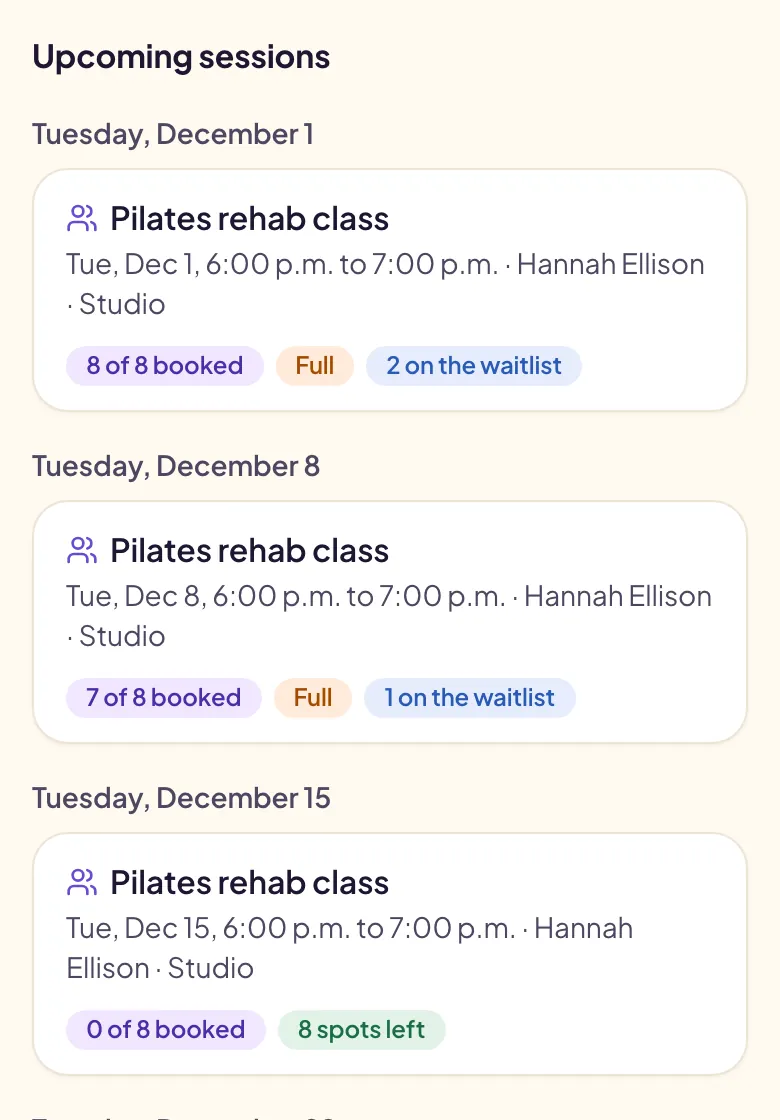
- Classes with spots, a waitlist and attendance.
- BookedThe visit is in the calendar, with reminders on their way.
- ArrivedChecked in at the desk or by the patient.
- CompletedReady for the note and checkout.
Group classes
Run classes on the same calendar: set the spots, fill them from online booking or the desk, and keep a waitlist that offers freed spots in order.
- Spots and a waitlist for every session.
- Attendance taken in one place, with fees, packages or memberships.
- Each spot is a visit, so reminders and checkout work as usual.
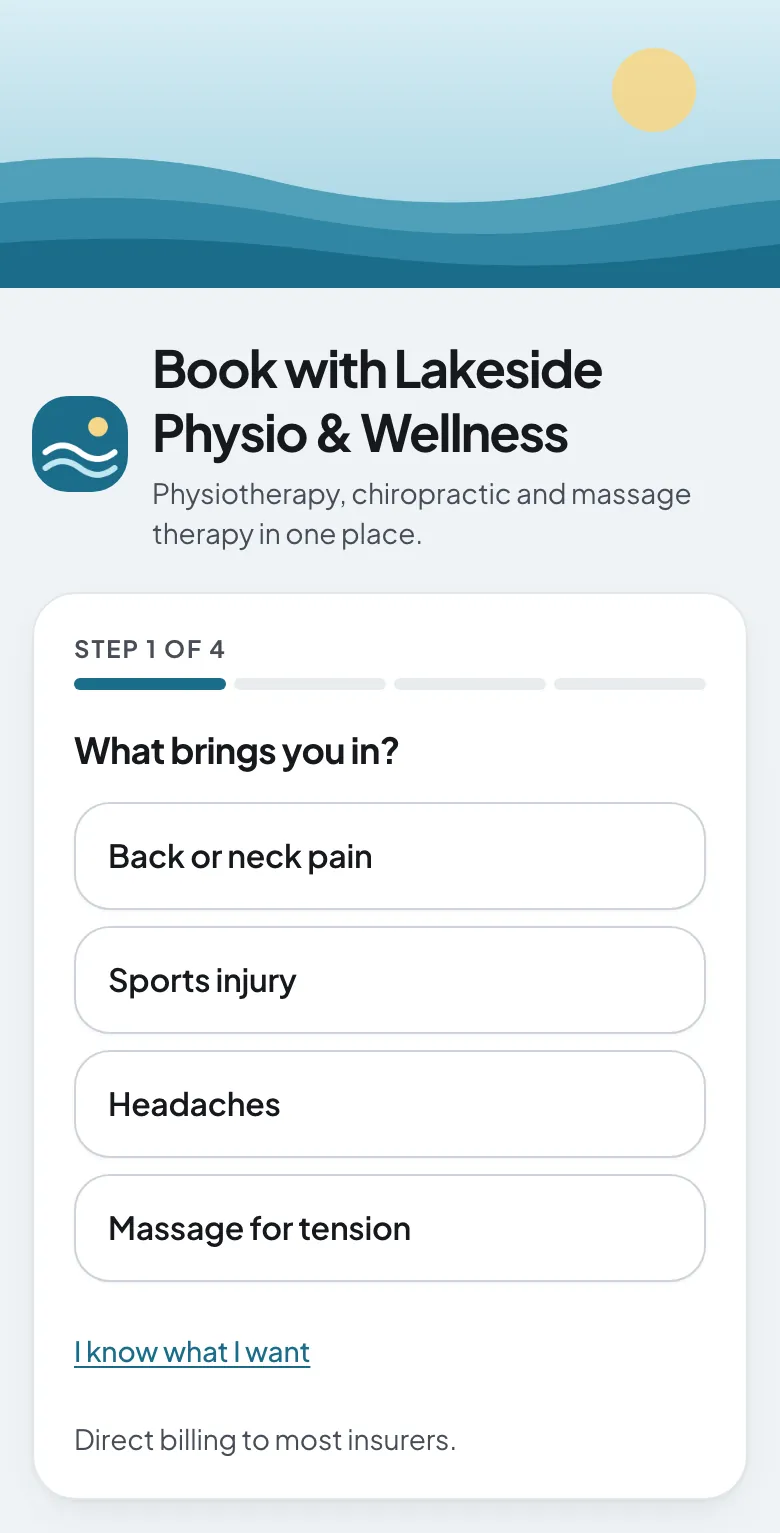
Online booking and an inquiry form, in your colours
Patients book from your website or phone in four short steps. Not ready to book? The inquiry form catches them and starts the follow-up.
- Your logo and colours, not ours.
- Real open times from the same schedule your desk uses.
- Your questions, your answers: make forms as short or as detailed as you like.
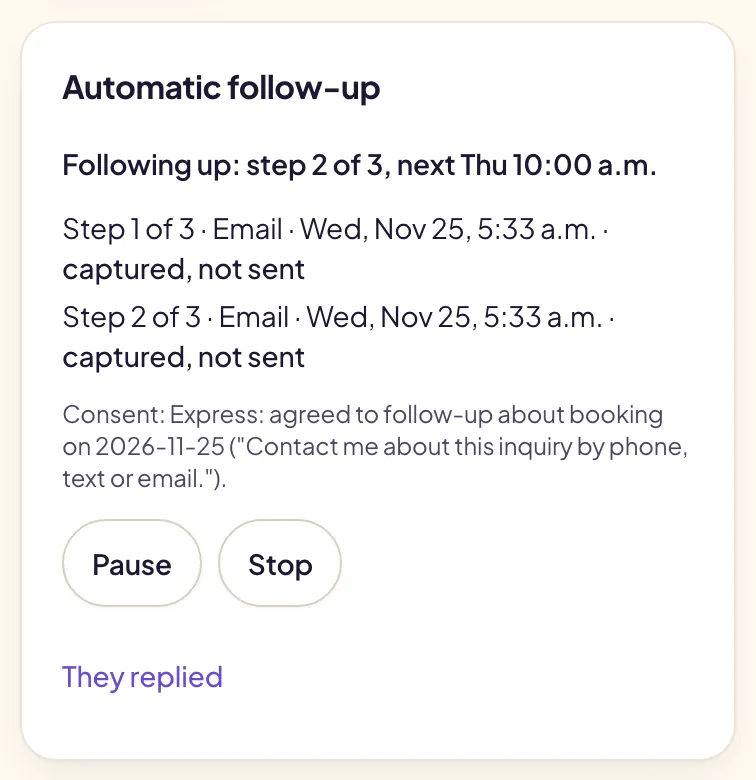
Every inquiry followed up
Each new inquiry gets a short series of messages until they book or reply, with their consent on record. Your desk can pause or stop it.
- Suggested times from the schedule, their preferred times first.
- Stops itself when they book or reply.
One inbox for texts, emails and portal messages
Replies land on the patient’s record, sorted and assigned. Reschedule requests come with a drafted reply.
- Two-way texting with the texting add-on, or everything by email.
- Health questions go straight to the practitioner.
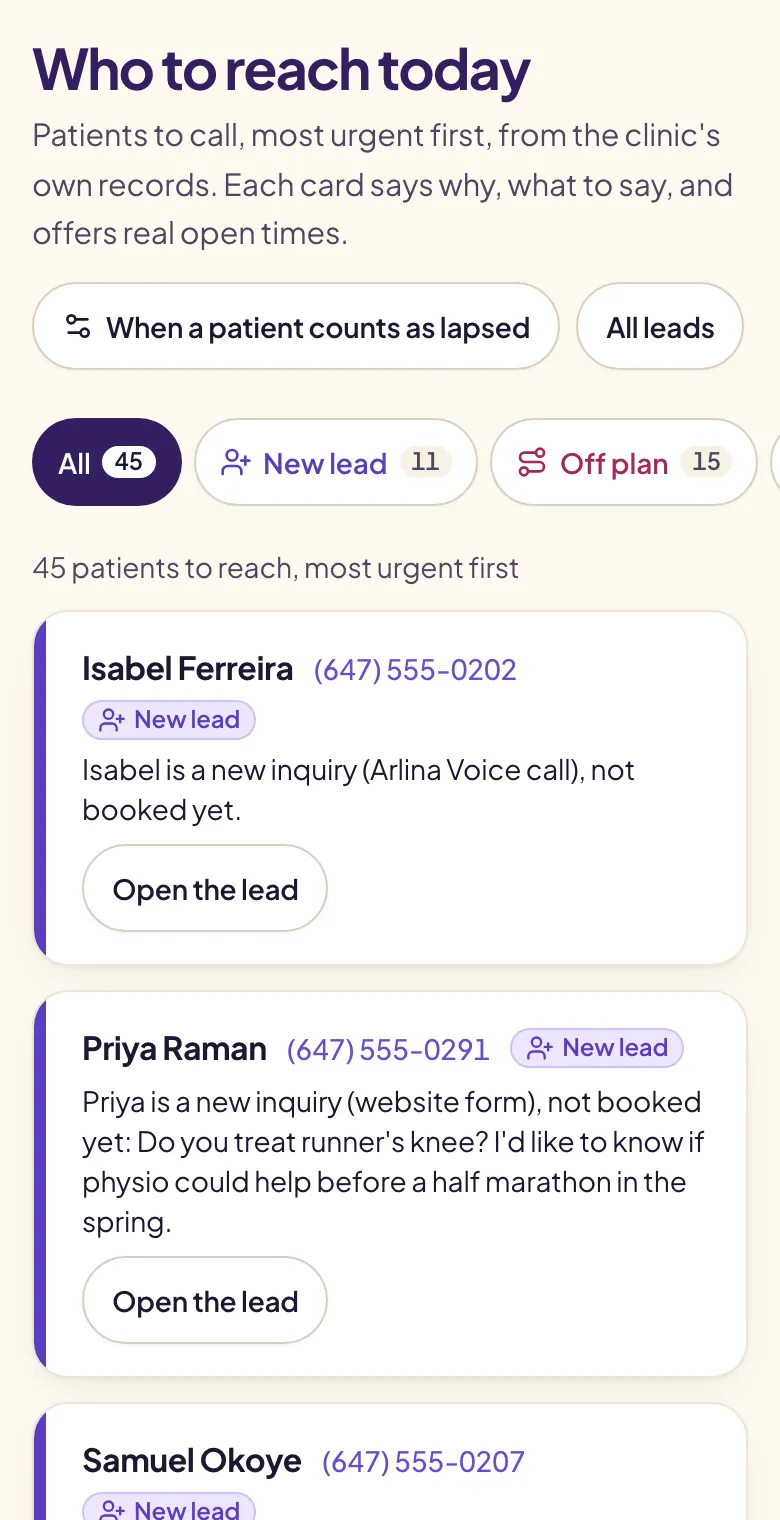
Who to reach today
A daily list of patients to call, most urgent first: new inquiries, missed visits, patients off their plan, coverage about to reset. Each card says why.
- Most urgent first, with what to say.
- Care-led wording. No discounts, no pressure.
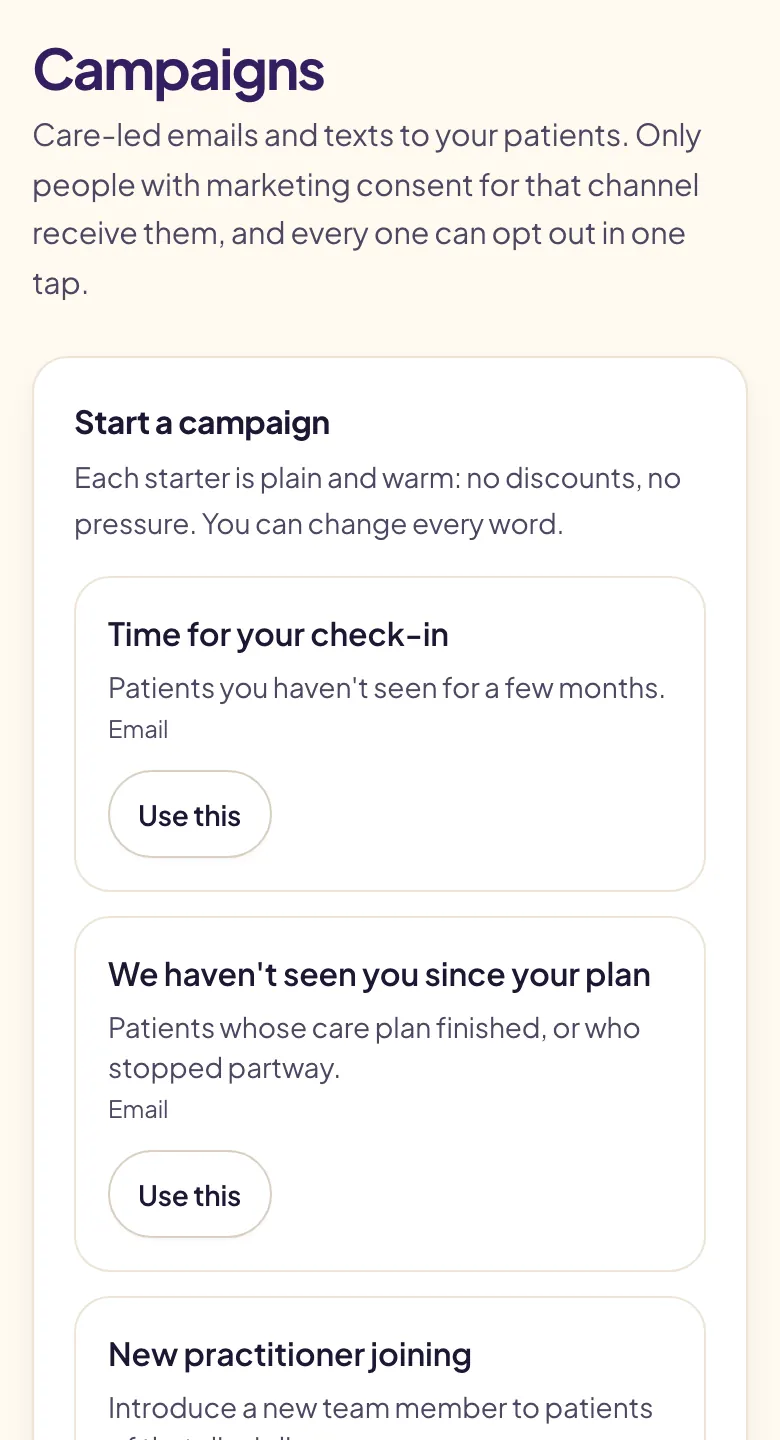
Campaigns that sound like your clinic
Plain, warm starters you can change: a check-in, a plan that stopped partway, a new practitioner, holiday hours.
- Consent checked for each channel. One tap to opt out.
- Texts wait for your quiet hours.
A patient portal on any phone
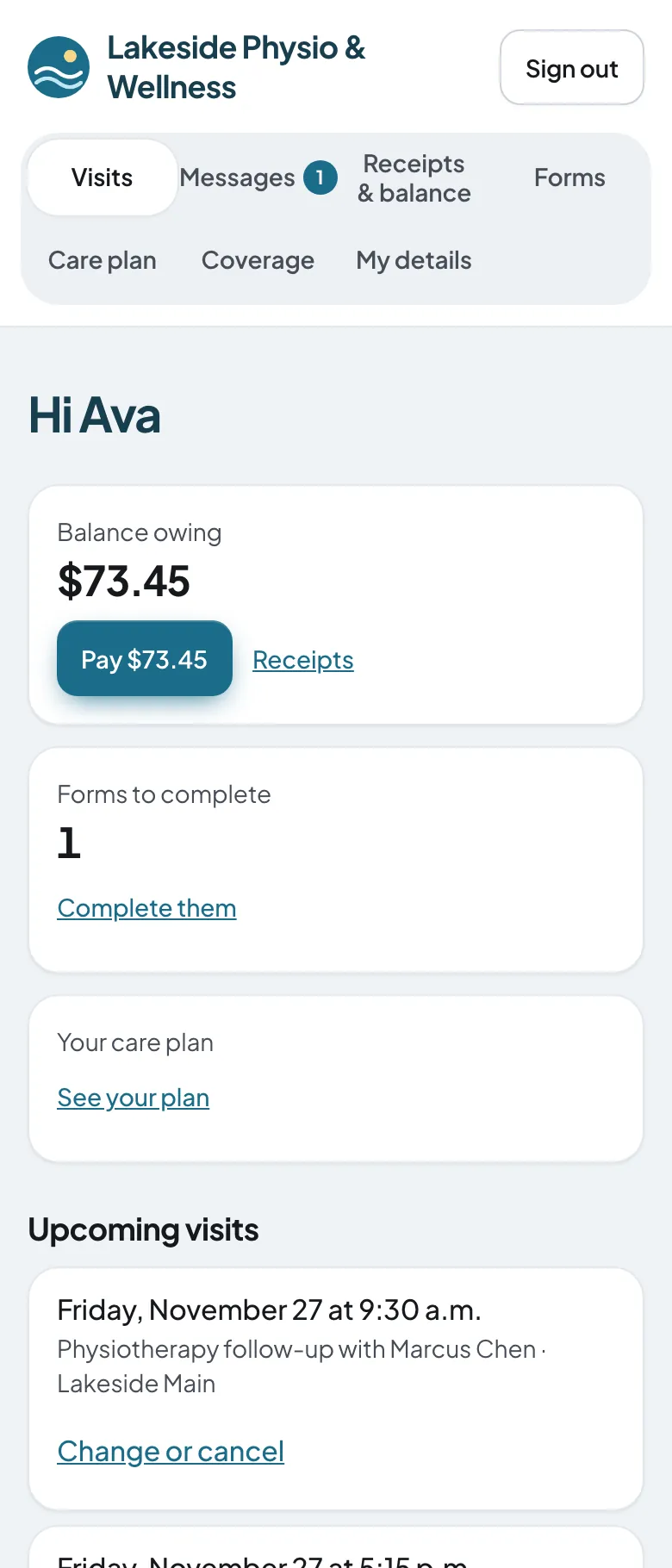
Patients see and change visits, pay a balance, fill in forms, read their care plan and message you securely. No app to install.
- A 6-digit code instead of a password.
- Join an online visit from the visit card.
What stays with people
- Your desk decides who gets booked when a request needs judgment.
- Messages with health details go to secure portal messaging, not plain text.
- Every message to a patient follows their consent and your quiet hours.
Give your desk its afternoons back.
30 days risk-free, and we set up your booking page with you.
Nothing is charged before day 31. Month to month, export everything any time.